Priority rules
Give members early access to activities and ticket sales using priority rules.
Last updated About 1 hour ago
Give members priority
Set priority rules on the "Priority" tab when editing an activity.
What are priority rules?
Priority rules let you give certain members or registration groups early access to an activity.
For each rule, choose the price category and period to which it applies.
The priority period must fall within the registration period of the price category.
Example: Presale registration starts on 1 January and everyone can register from 15 January. Set the following:
Price category: period from 1 January
Priority: 1 January through 15 January.
When should this priority rule start and end?
After it ends, the price category becomes available to everyone unless another priority rule applies.
There are three ways to give members or groups priority during registration.
members must first have taken part in a specific activity
only members who were active during a given period may register
registration is by invitation only
Priority for participants in a specific activity or price category
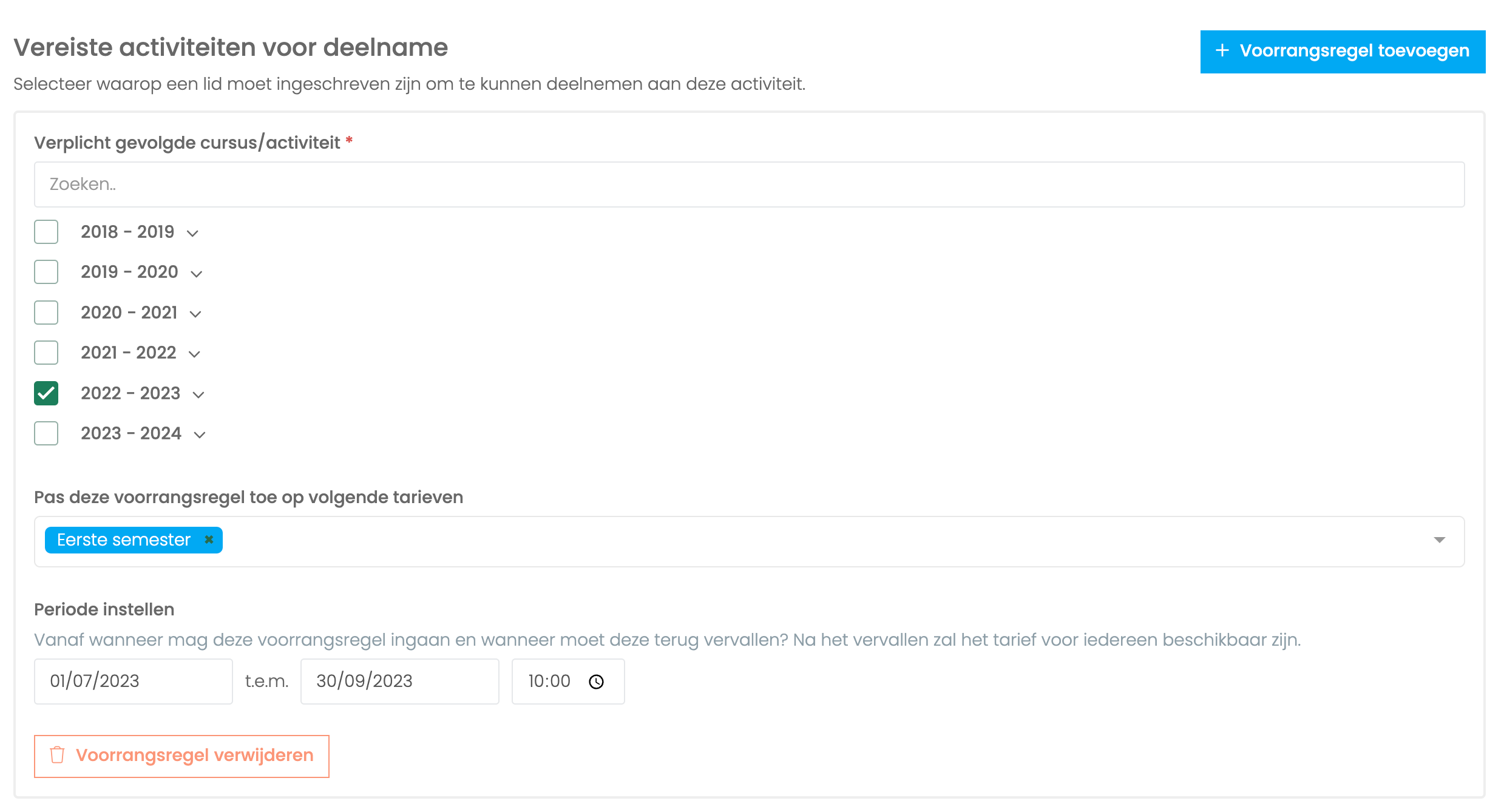
Criteria
Specify which activities members must have attended before they can register for the activity you are setting up. If you select several activities, attending at least one is enough.
If members must have registered for at least two activities, create multiple priority rules.
Examples
Here are some examples of how to use this priority rule:
Only members registered for "advanced ballet" may register for pointe classes.
Only members who took "advanced ballet" last year may register early for this season’s "advanced ballet".
Only members registered for the first-semester price category of "advanced ballet" may register early for "advanced ballet, second semester".
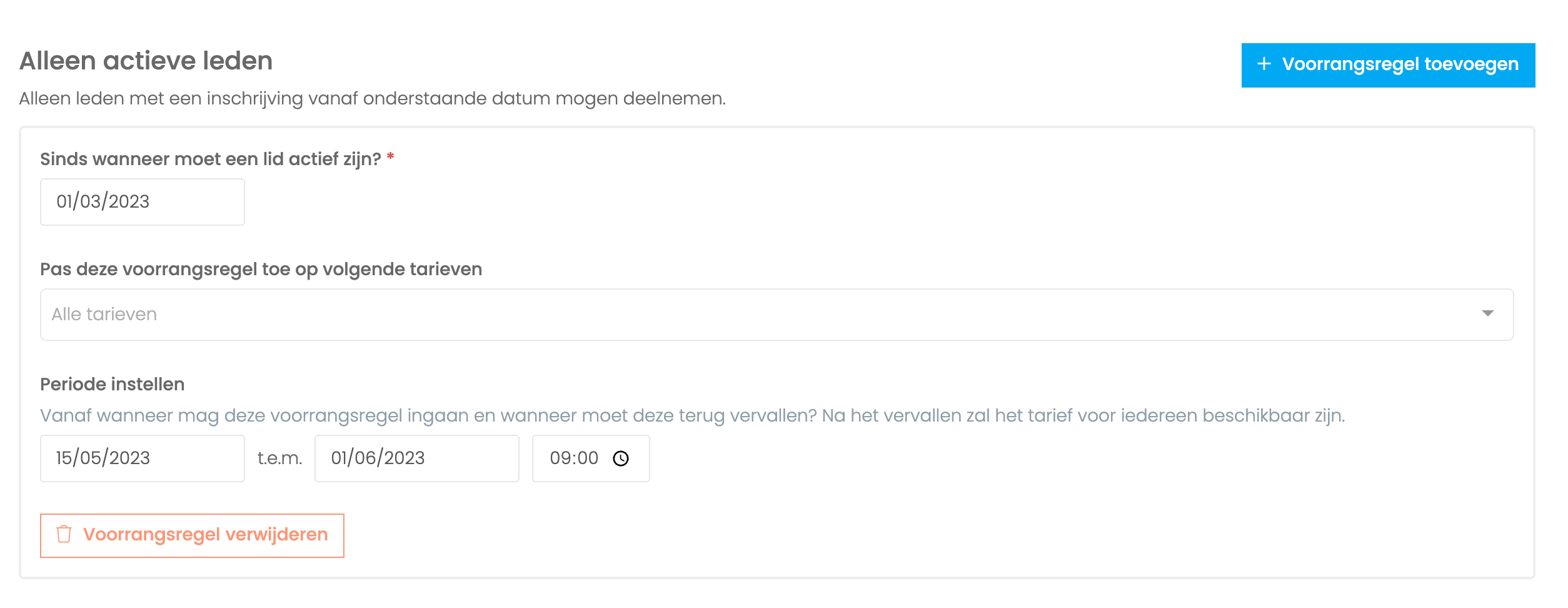
Priority for currently active members
All members with a registration since the selected date may participate.
This gives priority to members registered for either weekly or one-off activities during that period.
By invitation
Only invited members can register at the selected price categories.
When using the "By invitation" rule, you can decide whether uninvited members can see the offering. Hidden offerings are also invisible to signed-out visitors and appear only after someone signs in with an invited profile.
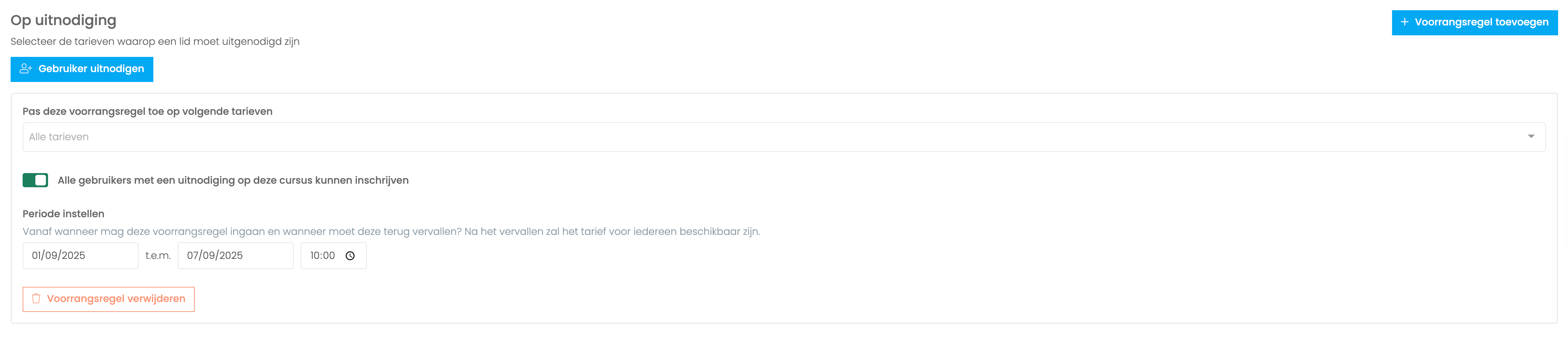
Apply this priority rule to the following price categories:
Select which price categories are covered by this priority period.
All users invited to this course can register:
Normally, each invitation specifies the price category for which the member has priority. Enable this option if invited members may register at every price category, regardless of the invitation setting.
Period:
Set the start and end of the priority period. Afterwards, everyone can register unless another priority rule takes effect.
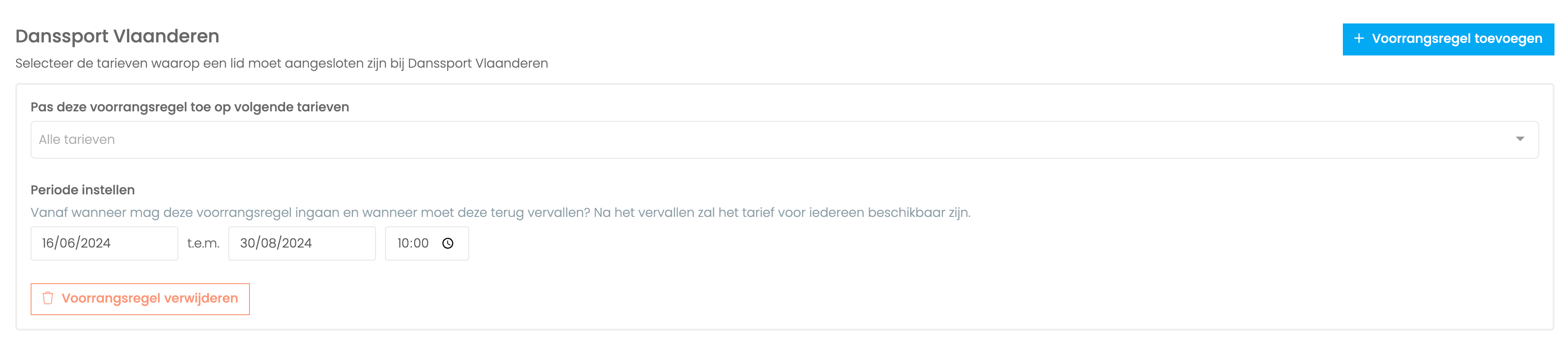
Priority for Danssport Vlaanderen members
This rule is designed for new Ledenbeheer customers whose club already belongs to Danssport Vlaanderen. It lets you give last season’s members priority for the new season.
How does it work?
Because Danssport Vlaanderen also uses Ledenbeheer, the system recognises your members from last season and can give them priority when registering for the new season.
Priority rules for ticket sales
Ticket sales have additional priority rules.
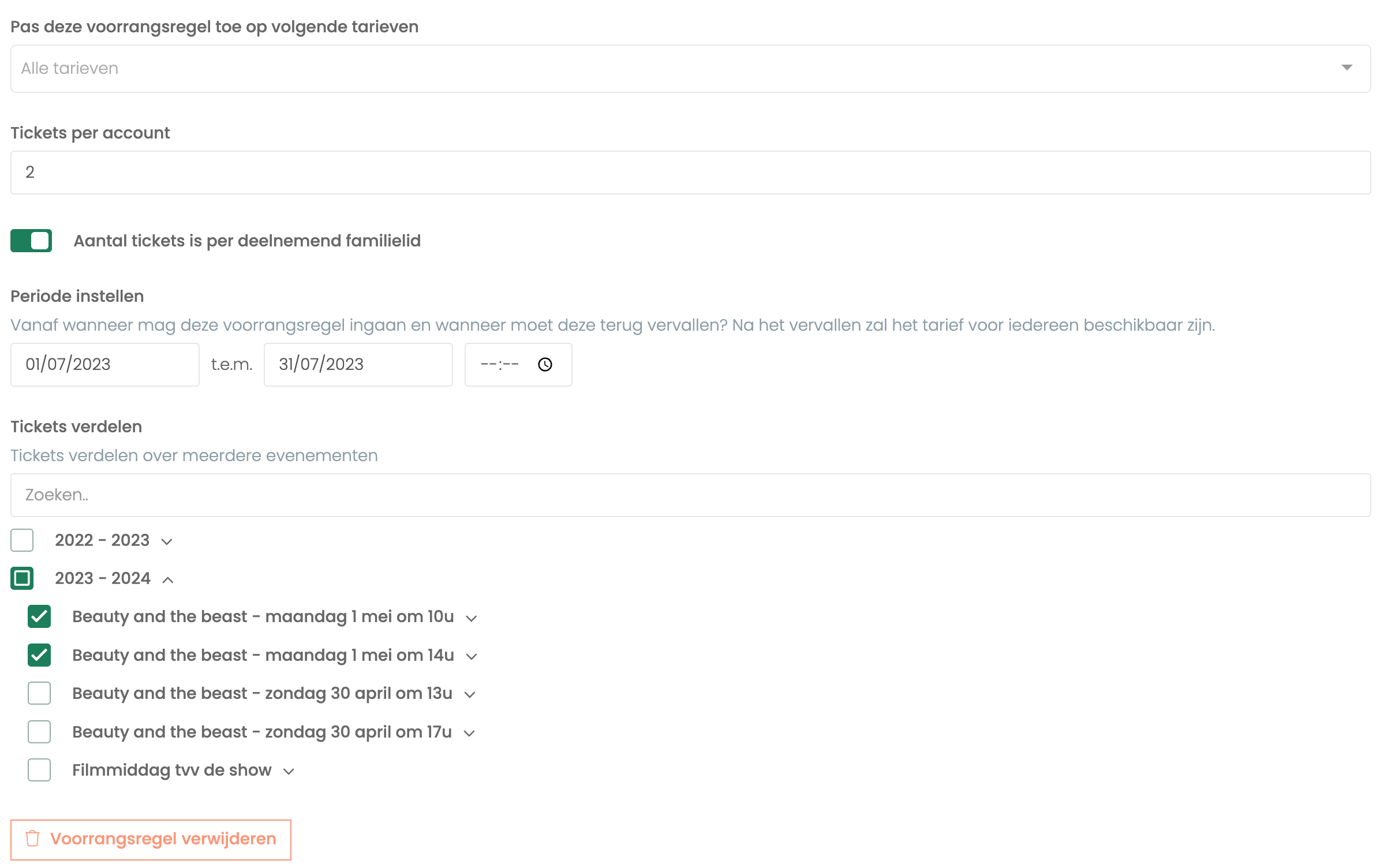
Tickets per account
Set the maximum number of tickets an account may buy during the priority period. Members registered for the selected activities can buy tickets in the presale. You can also allow each family member registered for an activity to buy a specified number of presale tickets.
Tickets are always issued in the primary account holder’s name, so it does not matter which family member you select during presale. For example, if children A and B can each buy three tickets, the account can buy six presale tickets in total.
Distribute tickets
By default, members have priority only for the activity you are setting up. With "Distribute tickets", you can instead allow them to buy, for example, four presale tickets across all selected activities.
Examples
Dance school members registered for a particular activity may buy tickets early.
Only dancers participating in the show may buy four presale tickets per participating child in their family.
Create an event called "Dance show participation" and register every participating dancer for it. This gives you a group of all participants, so you can give their families priority in ticket sales.