Licence and billing
Purchase or change a licence.
Last updated 7 days ago
Purchasing a Ledenbeheer licence
To purchase, manage or renew a Ledenbeheer licence, go to Settings > Billing > Licence.
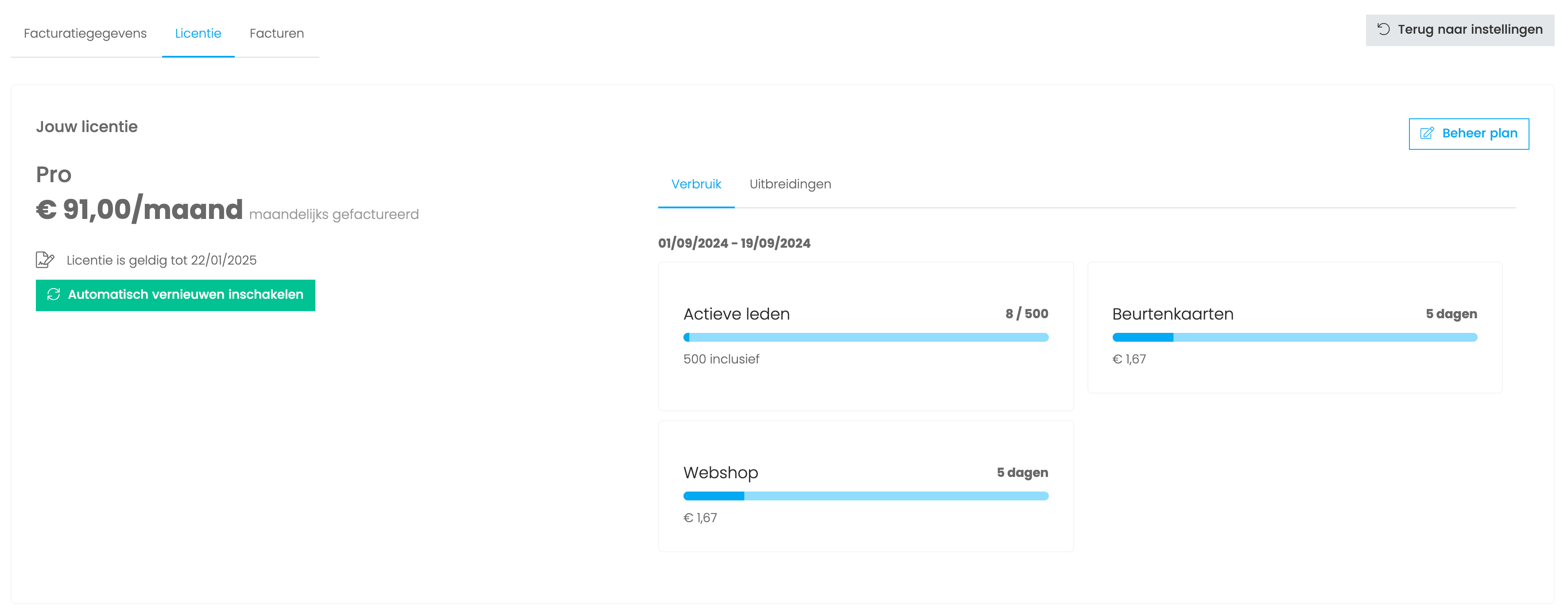
Here you can see your current licence and its cost.
Click Manage plan in the top right to choose a different plan.
Find more information about our plans and prices on our website.
Changing your current plan
Downgrading your licence
If you pay monthly, you can downgrade each month. If you pay annually, you can downgrade when your annual licence expires.
Upgrading your licence
You can upgrade at any time. If you pay monthly, your next invoice is adjusted. If you pay annually, the price difference is calculated for the remaining licence period.
Add-ons (session passes, webshop, SMS, UiTPAS)
You can enable an add-on under Settings > Billing > Licence.
You can extend Ledenbeheer with additional modules.
Some modules offer a 14-day free trial. Others, such as ticket sales and SMS, are paid from the start.
Some add-ons are included in the standard licence. For more information, see our pricing page.
Billing details
To change your billing details, go to Settings > Billing. At the bottom of this page, you can also enable or change your direct debit.
Frequently asked questions about Ledenbeheer licences
How do I cancel my licence?
How do I cancel my licence?
You always purchase a licence for one year, whether you pay monthly or annually. After one year, the licence is automatically cancelled.
If you enabled automatic renewal, turn it off to avoid renewing the licence.
Is there an additional charge for support?
Is there an additional charge for support?
No. Support is included. The support channels available to you depend on your plan.
We offer support through our help centre, email, phone and chat.
Where can I find my invoices?
Where can I find my invoices?
Invoices are emailed each month and are also available in your account under Settings > Billing > Invoices.
Why is my club not listed among other clubs on Ledenbeheer?
Why is my club not listed among other clubs on Ledenbeheer?
Only clubs with a paid licence appear in the club search.
Still need help? Ask the team