Create manual cost notes
Create cost notes for items outside your Ledenbeheer activities.
Last updated 7 days ago
Creating manual cost notes
Cost notes are created automatically for registrations and webshop purchases. You can also create them manually.
Create manual cost notes under Finance > Create.
Instruction video
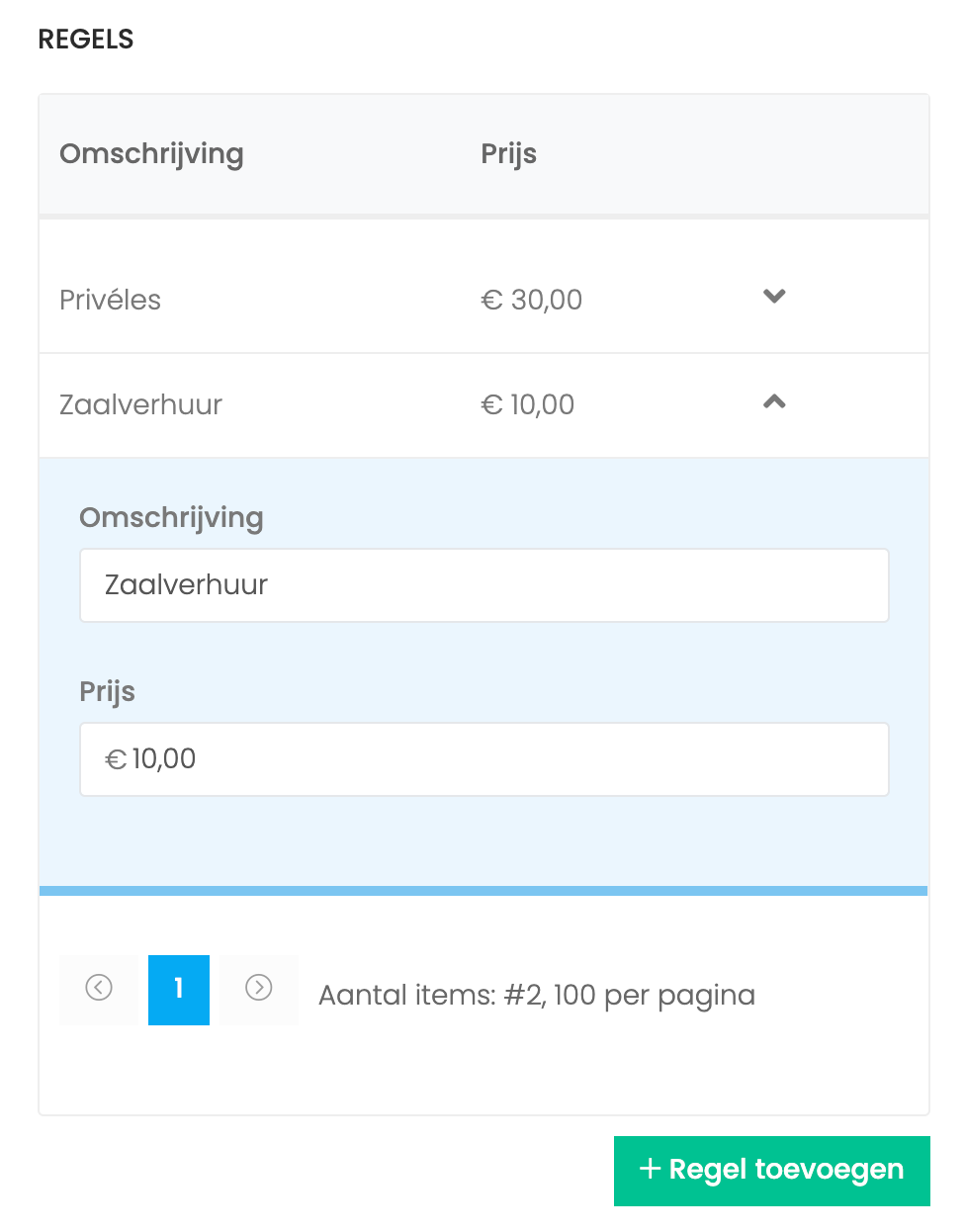
Add line items
A line item can be anything, such as a private lesson or room rental. After adding it, set the total price for that item.
You can then add another line item.
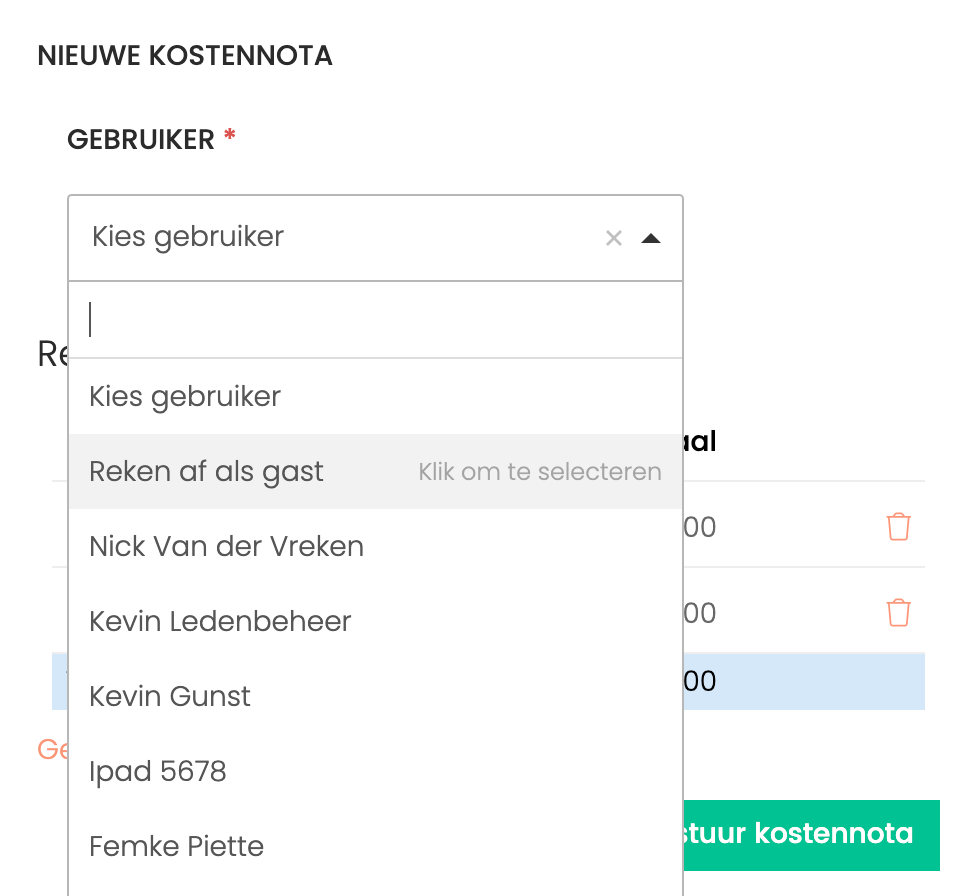
Choose a user
In this step, choose a user from your club’s members.
You can also add a guest user without a login.
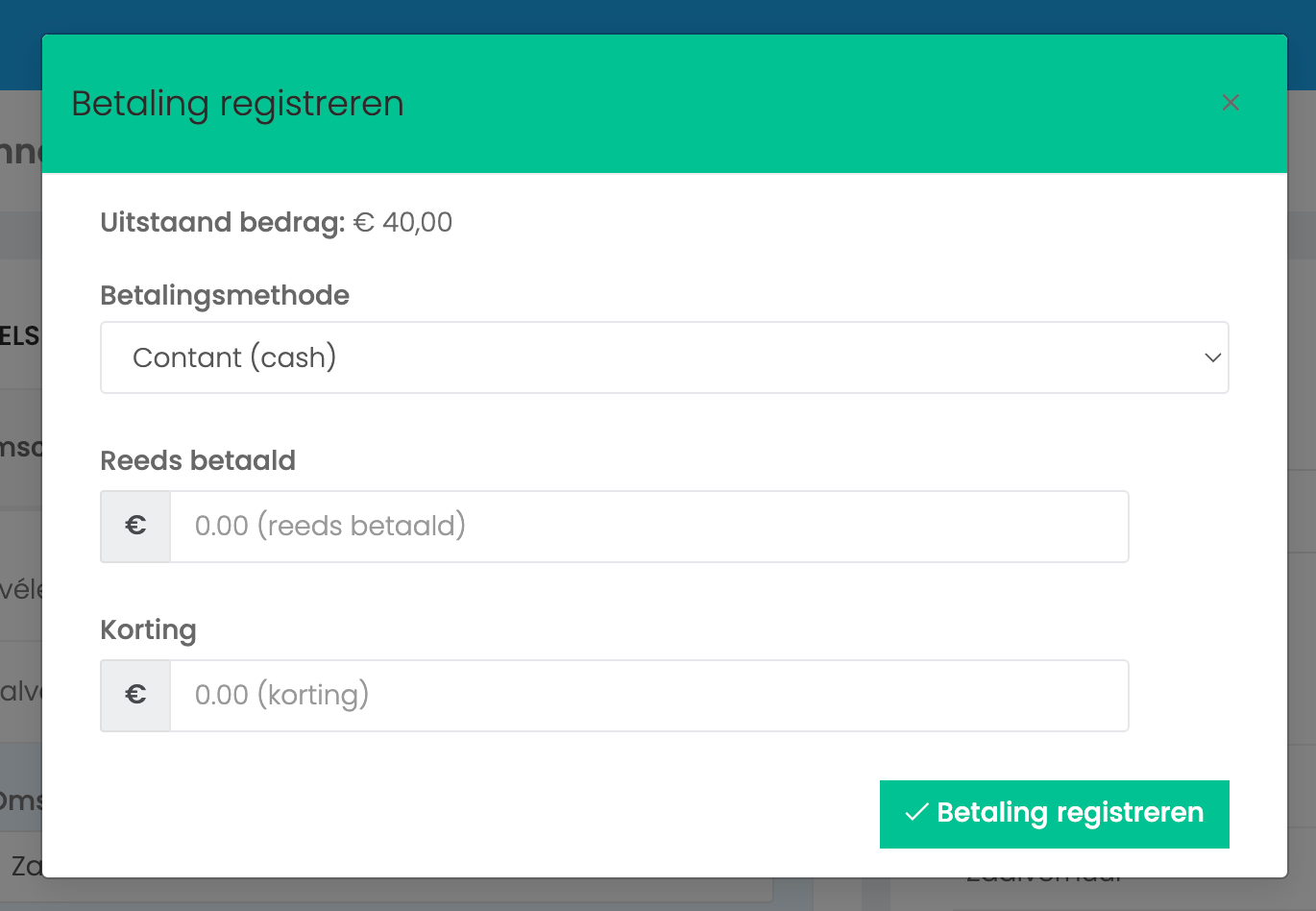
Record a payment (optional)
Use this pop-up to add a payment or discount, or both.
Ledenbeheer deducts payments and discounts from the outstanding amount.
Finally, send the cost note.
Frequently asked questions
Are certificates created for manual cost notes?
Are certificates created for manual cost notes?
No. Certificates are created only for courses and additional activities, not for manual cost notes.
Still need help? Ask the team