Waitlists
Manage waitlists and invite members when places open.
Last updated 7 days ago
Manage registration waitlists
A waitlist is created automatically when an activity is full. If a place opens while someone is waiting, you receive a notification and can invite someone from the waitlist to take it.
To turn off waitlists, go to Settings > General.
Registration page
Members see that the activity is full in the overview.
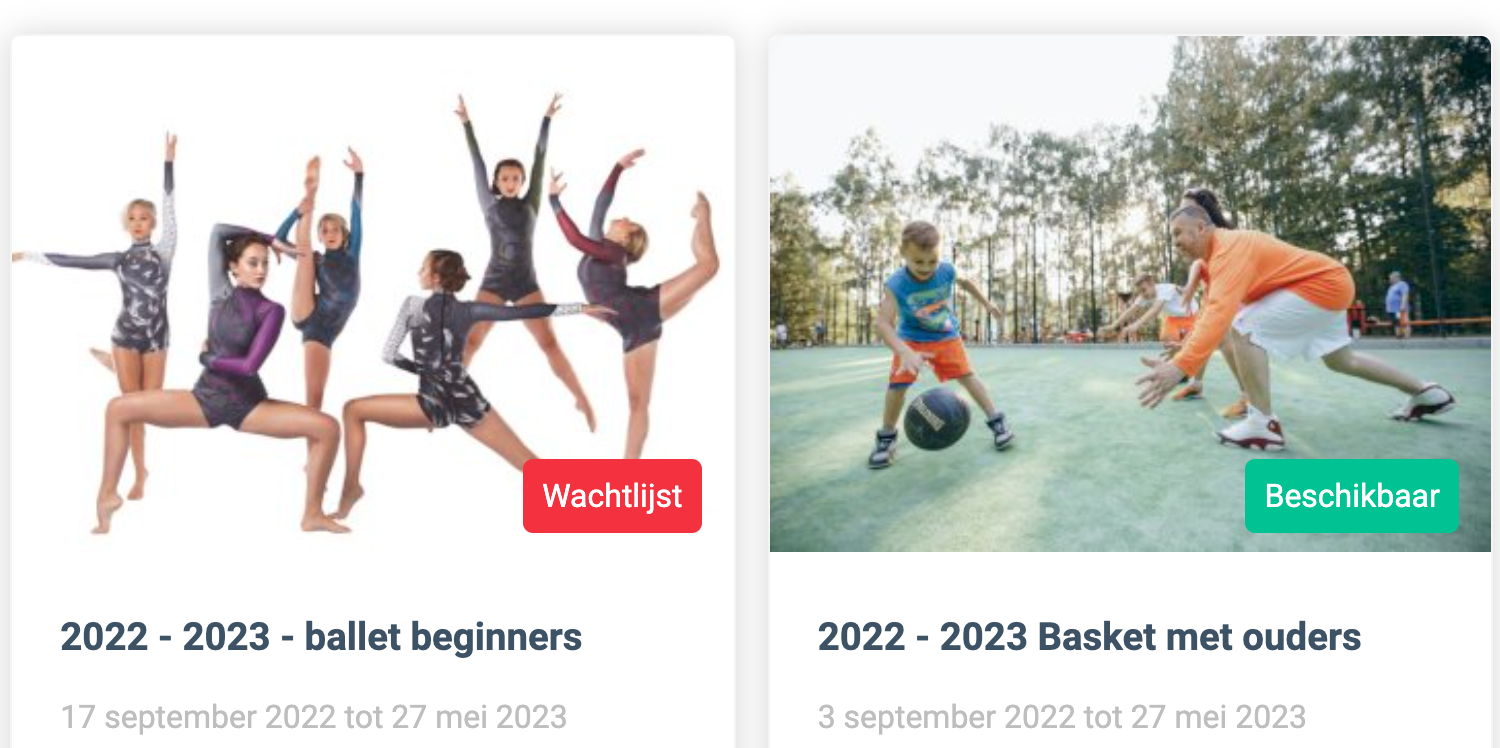
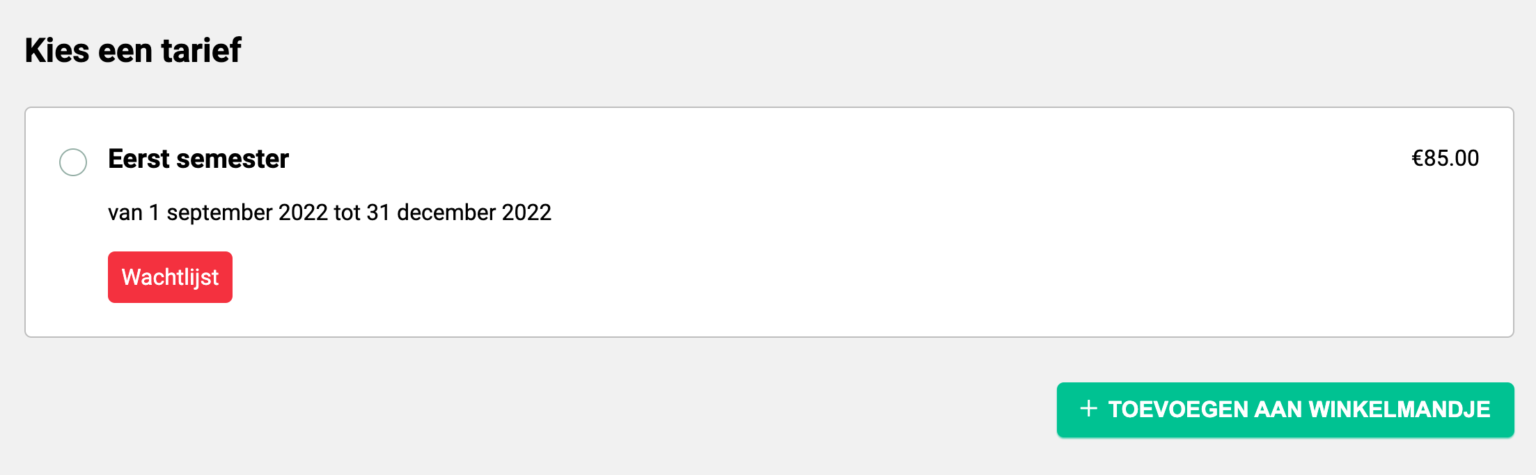
On the prices page, they again see that it is full, but they can join the waitlist.
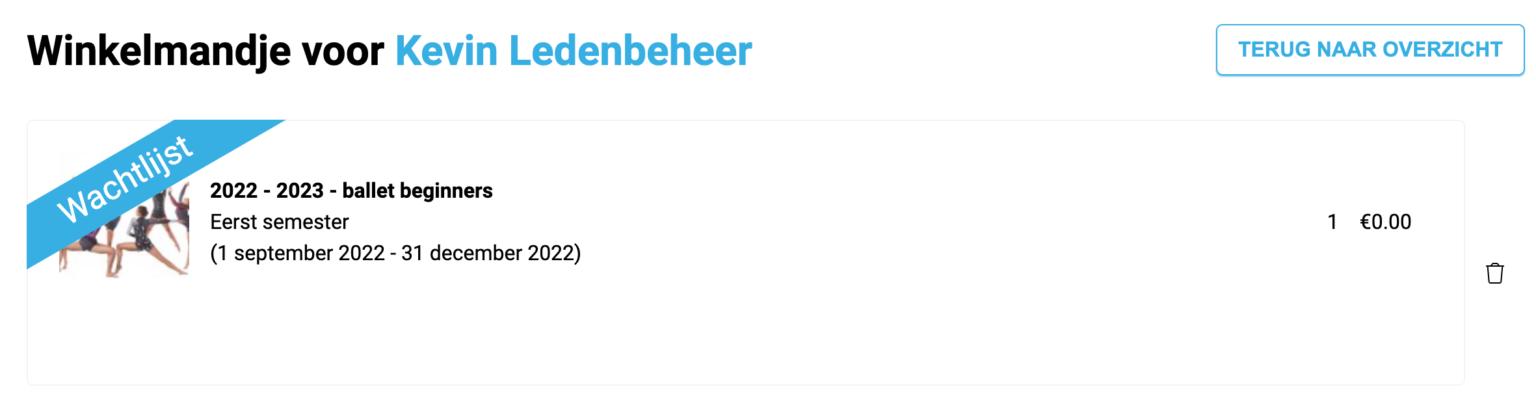
The basket repeats this information. A full activity added to the basket is not charged, as shown below.
Members still complete the registration form. That information lets you complete the registration quickly if a place opens.
They then receive confirmation that they have joined the waitlist.
Important: Members cannot see their position on the waitlist.
Administrator view
Find waitlists under Course offerings > Registrations. At the far right of the header, the waitlist icon shows how many people are waiting.
Click the waitlist to see members grouped by activity. Choose whom to invite using Send invitation. You can invite as many people as there are available places.
You can also register members directly, move them to another activity or remove them from the waitlist.
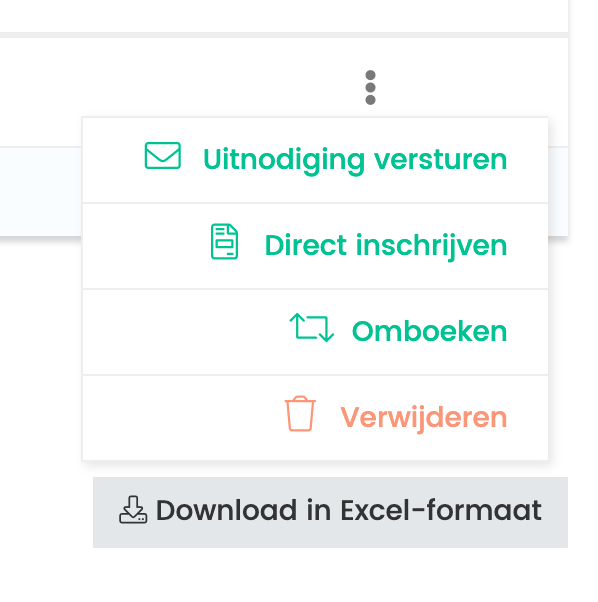
Send invitation: Email the member to ask whether they are still interested.
Register directly: Enrol the member in the course and send a payment email.
Move: Enrol the member in another activity and send a payment email.
Remove: Take the member off the waitlist.
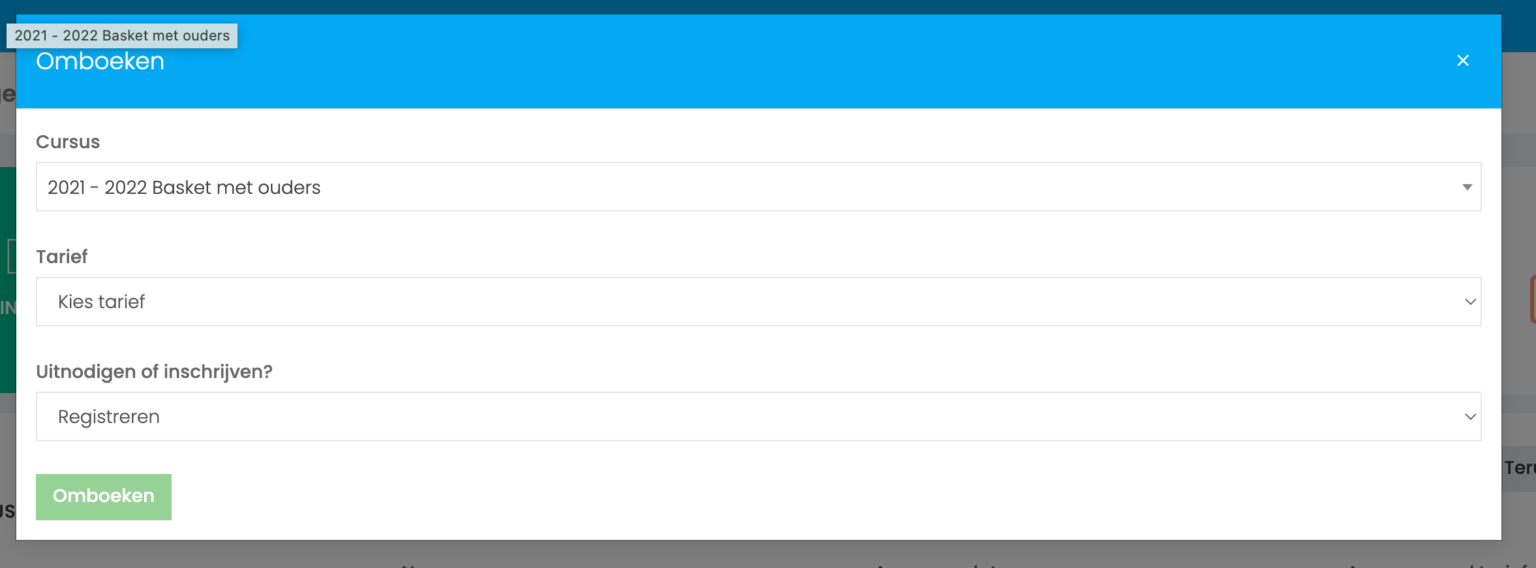
When moving a member, choose the destination activity and whether to register them or add them to its waitlist.
Frequently asked questions
What happens when a place opens?
What happens when a place opens?
When you withdraw someone from an activity with a waitlist, Ledenbeheer prompts you to review the waitlist and register someone waiting.
Can I invite members when the activity is full?
Can I invite members when the activity is full?
No. Increase the activity capacity or wait until a place opens. Ledenbeheer shows this suggestion on screen.
How can I track invitations?
How can I track invitations?
Ledenbeheer alerts you if members do not respond to an invitation in time, so you can offer the place to someone else.
Does Ledenbeheer send invitations automatically?
Does Ledenbeheer send invitations automatically?
No. Ledenbeheer does not automatically email members when a place opens. It notifies you, for example when you remove payment information linked to a registration for a full activity.
Can members see an open place on the registration page?
Can members see an open place on the registration page?
When an activity has a waitlist, members do not immediately see available places on the registration page. Places become visible once there are more open places than people waiting.
For example, if four people are waiting and five places open, the registration page shows one available place (five open places minus four waitlisted members).
Still need help? Ask the team